
The showit vs squarespace question comes up in almost every intro call I have with a new photographer, and my answer tends to surprise people. Squarespace isn’t bad. It’s just not built for what most of my clients actually need. I’ve spent years building both platforms for photography businesses, and the real difference isn’t which one looks prettier out of the box. It’s what happens six months in, once you’re the one trying to maintain the site, write the blog, and get found on Google.
What’s the Real Difference Between Showit and Squarespace?
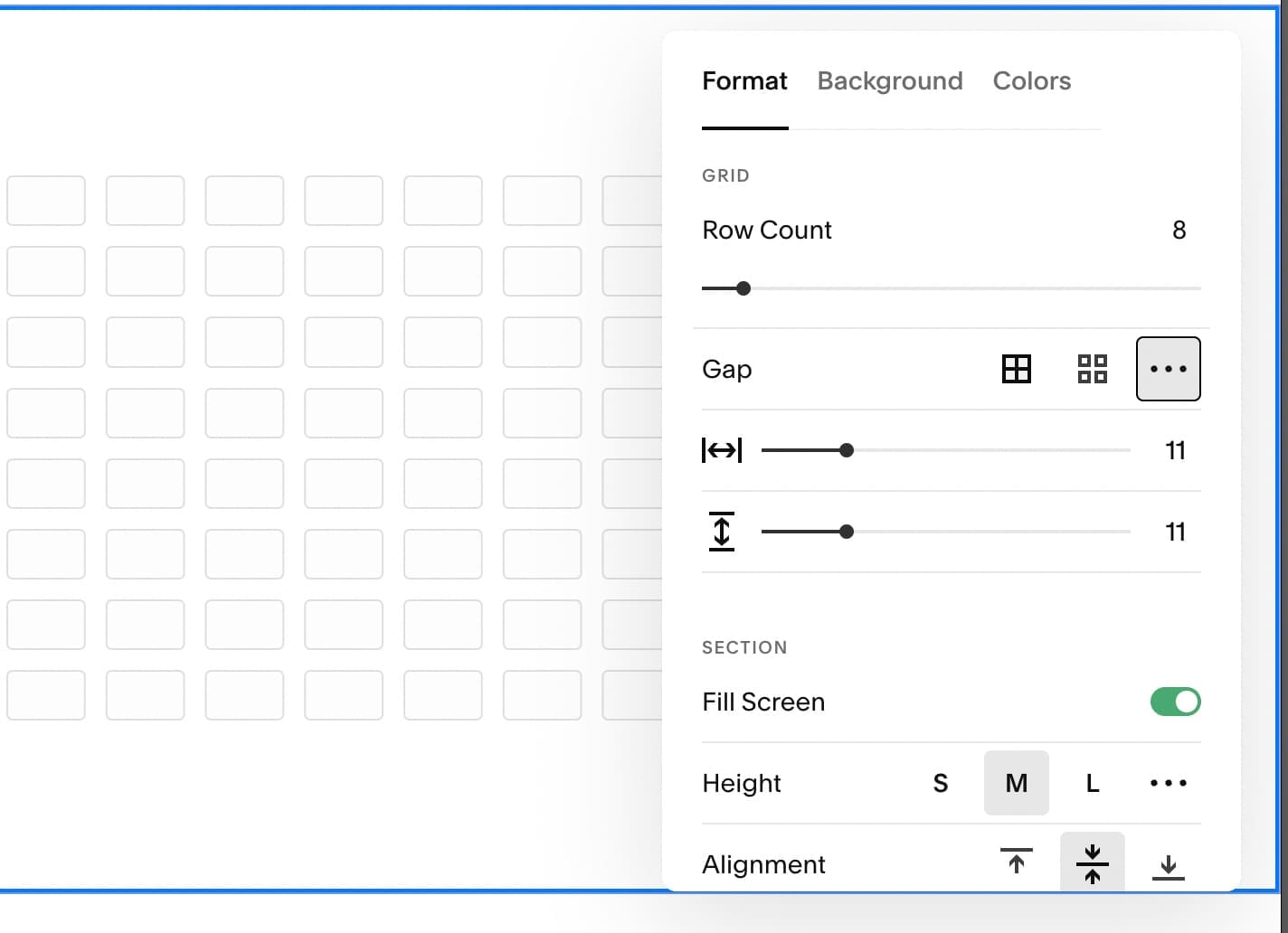
Squarespace works inside a fixed grid of sections and blocks. Showit works like a design canvas where you place anything anywhere. The grid just doesn’t work for my brain! That single difference in structure is the root of almost every other difference between the two platforms, from how custom your site can look to how much work it takes to build it right.
Squarespace hands you a template, and you fill in the blocks. You can change colors, swap fonts, and rearrange sections, but you can’t grab a headline and drop it wherever you want or layer text over an image at an angle. If you’ve ever sat there thinking why can’t I just move this, that’s the platform, not you. Showit skips the grid entirely. You get pixel level placement, a separate design canvas for mobile so your site doesn’t just auto shrink into a mess, and the freedom to build something that actually looks like your brand instead of a template with your logo dropped on top.
The Squarespace Vs Showit Trade-off Nobody Warns You About
Design freedom is only an advantage if someone knows what to do with it. A lot of Showit sites end up looking messier than a good Squarespace template, simply because there are no guardrails stopping someone from overcrowding a page.
Squarespace’s limitations are annoying, sure, but they also keep people from accidentally building a mess. Showit hands you the same tools a designer uses and trusts you to know what to do with them. That trade-off is exactly why Nick, my husband and the web designer on our team, builds every client site by hand instead of handing someone a template and a good luck wave. All that flexibility only pays off when someone who actually knows how to use it builds it, then hands it to you in a way you can maintain yourself.
Is Showit Really Better Than Squarespace for SEO?
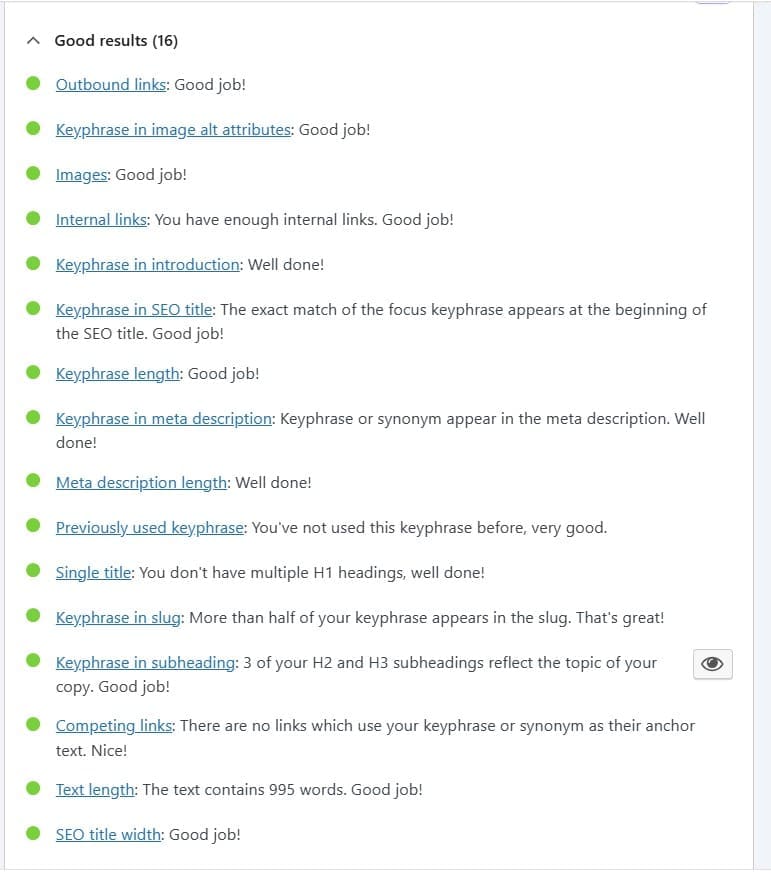
For blogging specifically, yes. Showit runs its blog through WordPress, and WordPress still gives you the deepest SEO toolkit available: SEO plugins like Yoast and Rank Math, real control over metadata, and structured data that helps Google and AI search actually understand your content, which is our SEO setup process in a nutshell.
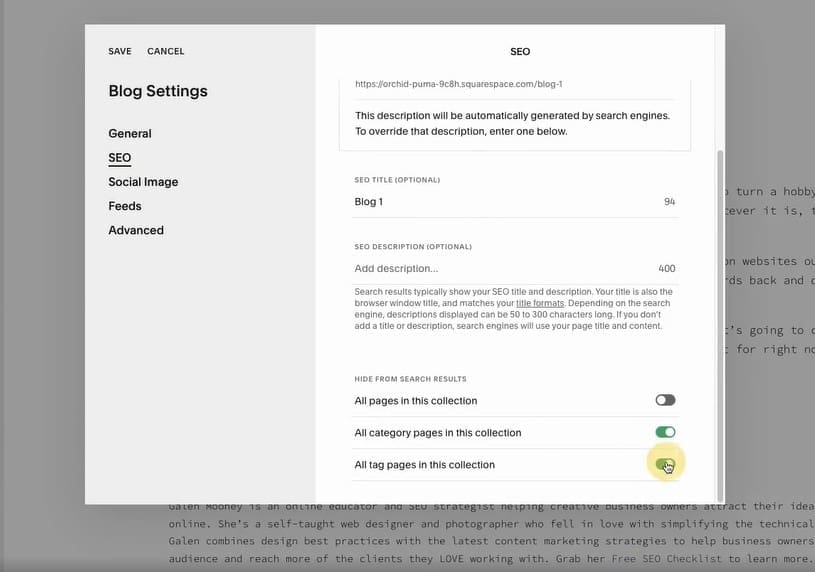
I won’t pretend the two-login setup, Showit for design, WordPress for blogging, isn’t a little annoying at first. But that WordPress connection is the reason our clients’ blog posts keep showing up in search results months after we publish them without anyone touching a thing again, and you can see how our clients’ blogs perform for yourself. Squarespace’s built-in blog covers the basics fine: titles, descriptions, alt text. It doesn’t give you that same depth, though. If content is going to be doing real work for your visibility, and for photographers it should be, that gap adds up fast over a year of consistent blogging. If you want the platform’s own take, Showit’s own comparison breakdown covers the design side in more depth.
So Which Platform Should You Actually Pick
If you’re brand new and just need something live fast on a tight budget, Squarespace will get you there without a headache. If you’re building for the long haul and want your website and blog actually working to get you found, Showit is worth the extra effort, especially if you’re not the one building it.
There’s no universally right answer here, only the right answer for where your business actually is. A beautiful website that no one can find, or one that looks exactly like everyone else’s in your niche, is just an expensive gallery either way. Pick the platform that gets you out of that trap, not the one with the loudest fan club on Instagram.
Not trying to learn pixel placement, migrate a blog to WordPress, and troubleshoot plugins on a Tuesday night? Cool. Hi, I’m Emma. That’s the actual job Nick and I do for photographers every week. Let’s Chat!

Frequently Asked Questions
For blogging, yes. Showit connects to WordPress, which gives you access to Yoast and Rank Math, plugins that give you far more control over metadata and structured data than Squarespace’s built-in SEO tools. Squarespace covers the basics well. WordPress goes deeper, and depth is what compounds over a year of blogging.
Showit’s annual plans start around $22/month without a blog, or $27 to $39/month with WordPress blogging included. Squarespace’s plans start around $16/month with blogging built in natively. Showit costs more once you add the blog, but you’re paying for design flexibility and SEO depth Squarespace doesn’t offer at any price tier.
Yes, if you want a blog. Showit doesn’t have its own native blogging system, it hands blogging off to WordPress entirely. That means two logins and two systems to learn, but it also means your blog gets WordPress’s full SEO toolkit instead of Squarespace’s more limited built-in version.
Absolutely, and plenty of photographers do. Squarespace is a strong choice if you’re just starting out, need something live fast, and don’t want to manage multiple systems. The trade-off is less design flexibility and a lighter SEO toolkit than Showit paired with WordPress offers.

